
How to configure the finance general settings
Every finance general setting explained — receipt mode, multiple accounts, invoices, advance payments and fines.
In the finance general settings, the admin or a privileged user sets how the institution’s fees are managed.
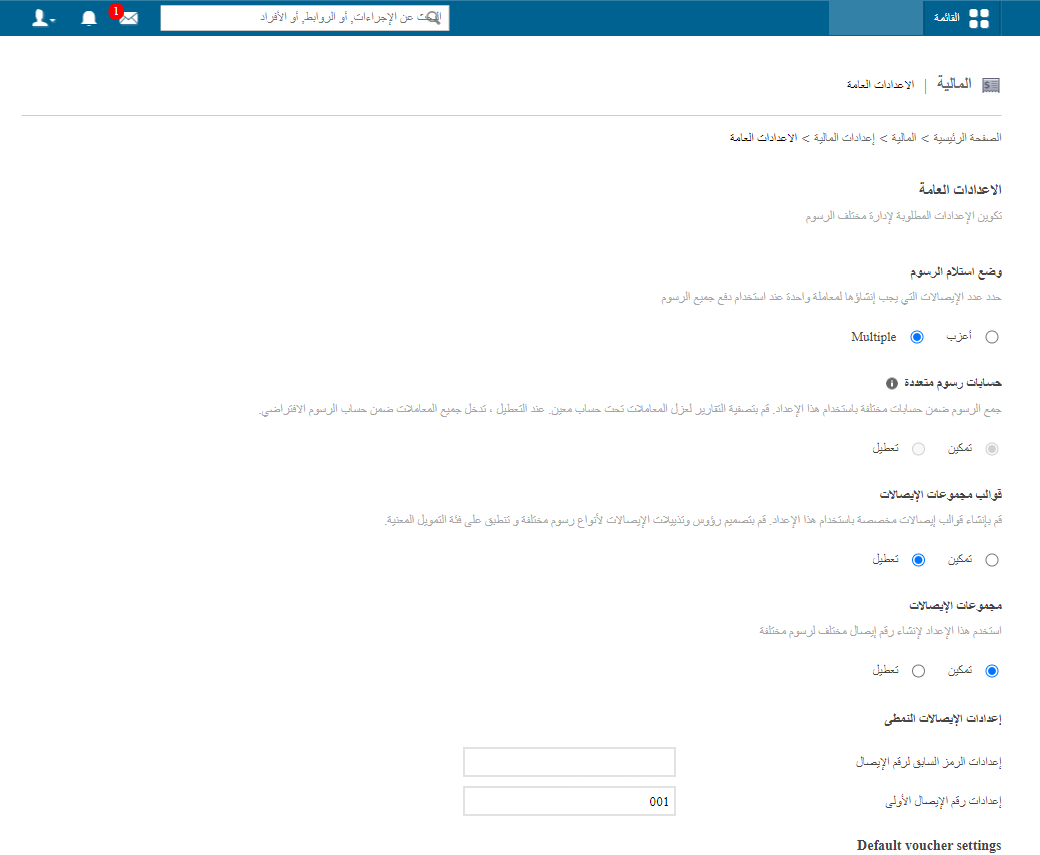
Go to Menu → Administration → Finance → Finance Settings → General Settings.
| # | Setting | Description |
|---|---|---|
| 1 | Fee receipt mode | How many receipts one Pay all Fees transaction produces: Single or Multiple. |
| 2 | Multiple fee account | Group fees into different accounts, with report filters per account. When disabled, all transactions go to the default account. |
| 3 | Multiple receipt templates | Enable to use more than one receipt template. |
| 4 | Multiple receipt sets | Enable to give each receipt set its own numbering. |
| 5 | Default fee receipt settings | With a single receipt set, enter the default prefix and starting number. |
| 6 | Enable tax settings | Turn on tax calculation on fees. |
| 7 | Enable invoice generation | Turn invoice generation on or off. |
| 8 | Invoice number settings | With invoices enabled, enter the starting invoice number. |
| 9 | Invoice amount settings | Choose what the invoice shows: Total Amount Due and/or Total Amount Paid. |
| 10 | Amount in words | Show the paid amount in words on receipts. |
| 11 | Amount wording system | Choose the number wording system (Western: thousand, million, billion). |
| 12 | Advance payment for students | Allow collecting fees in advance. |
| 13 | Waiver discount receipt number | Disable to skip receipt numbers for waiver discount transactions only. |
| 14 | Suspend fine calculation after payment | Enable to stop automatic fines once a fee is paid. |
When done, click Save settings.


Was this article helpful?
Thanks for your feedback!