
How to configure PDF settings for receipts
Set institution detail alignment, show or hide the signature, and add a custom footer to PDF receipts.
Set up the PDF settings so receipts match your institution’s format.
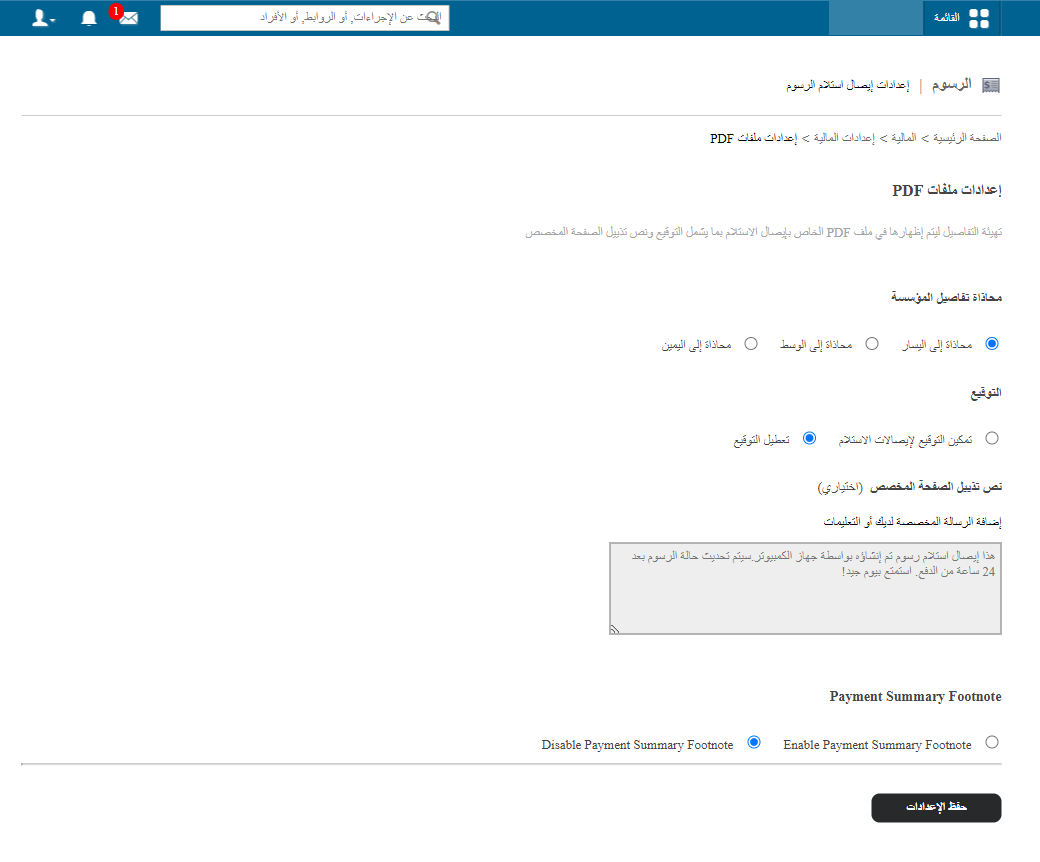
- Go to Menu → Administration → Finance → Finance Settings → PDF Settings.
- Choose the institution details alignment: left, right or centre.
- Choose whether to show the signature on receipts.
- Enter an optional custom footer text.
- Click Save settings.
Was this article helpful?
Thanks for your feedback!