
How to set up grading levels for CWA
Create grading levels (grade names and minimum scores) for all batches or for a specific batch.
A grading level is a grade and the range of marks a teacher can award when marking a student’s assessment or exam paper.
Go to Menu → Academics → Examination → Settings → Set grading levels.
By default, grading levels are set to Common, meaning they apply to all batches.
Create grading levels for a batch
-
Select the batch, then click Add Grades.
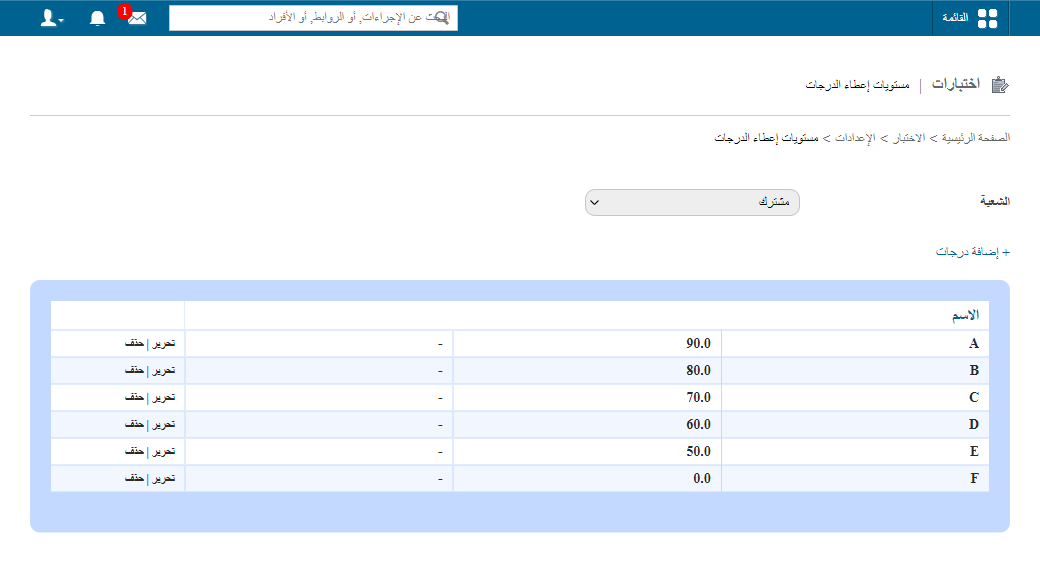
1Selecting a batch and adding grades -
In the Name field, enter the grade name.
-
In the Min Score (%) field, enter the minimum percentage required for this grade.
-
In the Description field, enter a description.
-
Click Save.
Screenshot — to be addedpublic/images/articles/cwa-grading-levels-2.png2Completed grading level form
Edit or delete a grading level
- To change a grading level, click Edit.
- To remove a grading level, click Delete.
Walkthrough
Screenshot — to be added
public/images/articles/cwa-grading-levels-3.pngWas this article helpful?
Thanks for your feedback!