
How to set up ranking levels
Define ranking levels such as Passed with Distinction, Passed, Failed and Absent to categorise students by their marks.
Ranking levels (for example, Passed with Distinction, Passed, Failed, Absent) categorise students by the percentage they score in a subject, within a batch or across all batches of the same course.
Go to Menu → Academics → Examination → Settings → Ranking Levels.
Create a ranking level
-
Select the course you want to set up ranking levels for.
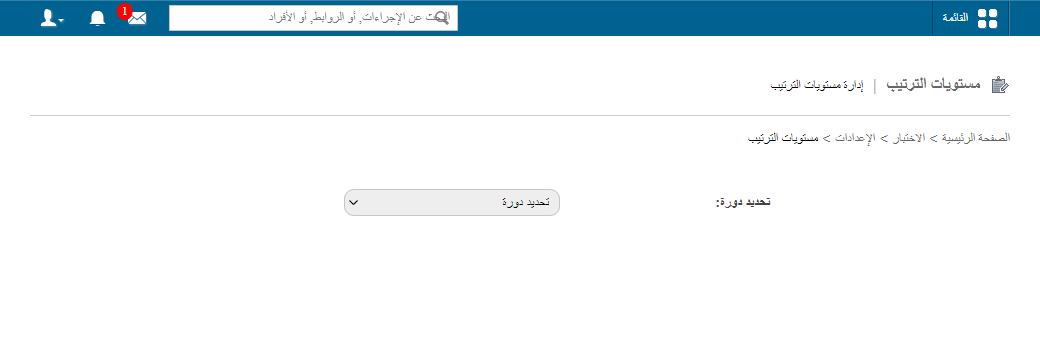
1Selecting a course -
In the Name field, enter the ranking level name.
-
In the Marks (%) field, enter the maximum, minimum or exact marks used to place students in this level.
-
In the Marks Limit Type field, select one of the following:
- Upper – students scoring below this mark are placed in this level.
- Lower – students scoring this mark or above are placed in this level.
- Exact – students scoring exactly this mark are placed in this level.
-
In the Number of Subjects field, enter the number of subjects.
-
In the Subject Limit Type field, select one of the following:
- Upper – the maximum number of subjects that must meet the marks criteria.
- Lower – the minimum number of subjects that must meet the marks criteria.
- Exact – the exact number of subjects that must meet the marks criteria.
-
Select Consider all previous batches? to apply this ranking level to previous batches as well as current ones.
-
Click Save.
Screenshot — to be addedpublic/images/articles/cwa-ranking-levels-2.png2Saving a ranking level -
Use the arrow icons to order the ranking levels. Levels are checked from the top down, so a student who qualifies for a higher level is not placed in a lower one as well.
To change a ranking level, click Edit. To remove it, click Delete.
Example
| Ranking level | Marks (%) | Marks limit type | Number of subjects | Subject limit type |
|---|---|---|---|---|
| Passed with Distinction | 80 | Lower | 3 | Lower |
| Passed | 50 | Lower | 3 | Lower |
| Failed | 50 | Upper | 1 | Lower |
| Absent | 0 | Exact | 1 | Lower |
With these settings, students are categorised as:
- Passed with Distinction – 80% or more in three or more subjects.
- Passed – 50% or more in three or more subjects.
- Failed – below 50% in one or more subjects.
- Absent – exactly 0% in one or more subjects.
Walkthrough
public/images/articles/cwa-ranking-levels-3.pngTip: To list students by ranking level, see What is the ranking level report.
Was this article helpful?
Thanks for your feedback!