
How to create, edit or delete fee particulars
Define fee components and amounts for a batch, specific students or a student category.
Fee particulars are the different fee types students pay after admission, such as tuition or transport. They are created within a fee category and can apply to whole batches, specific students or a student category.
Create a fee particular
- Click Menu → Administration → Finance → Fees → Create Fees → Create Particulars.
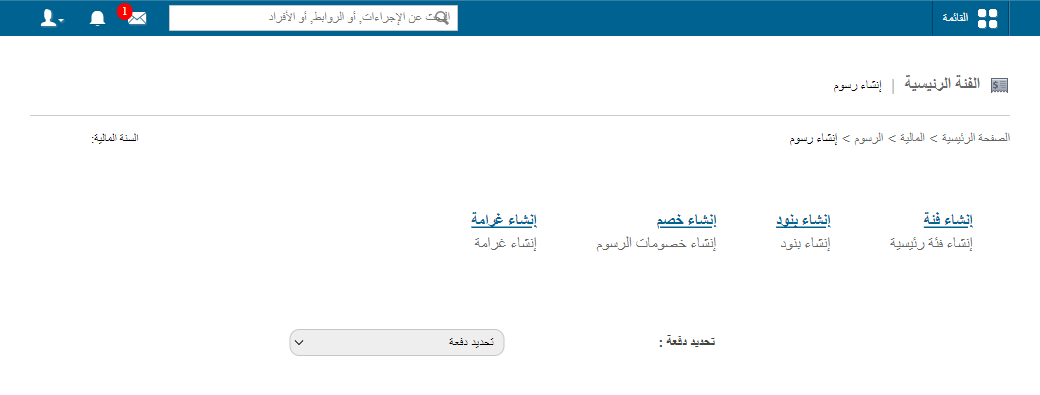
Note: Fields marked with a red asterisk (*) are mandatory.
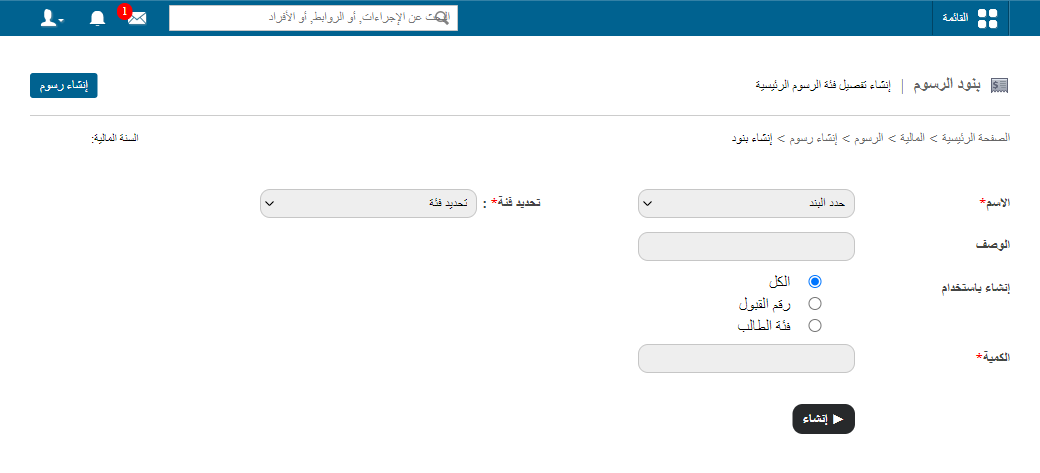
- Enter the name.
- Enter a short description.
- Select the fee category and the batches.
- Choose who it applies to:
- All: every student in the selected batches.
- Admission no: enter admission numbers separated by commas.
- Student category: choose the category.
- Enter the amount.
- Click Create.
Edit or delete a particular
- Edit: only if no fee collection has been scheduled; you can change the name, description and amount.
- Delete: possible any time.
- Go to Menu → Administration → Finance → Fees → Create Fees.
- Select the batch and fee category; its particulars are listed.
- Click Edit or Delete.
Was this article helpful?
Thanks for your feedback!