
How to create instant fees
Set up fees that can be collected at any time from a student, employee or guest, with no due date.
Instant fees let you collect a fee at any time from a student, employee or guest, with no due date — for example a certificate fee or uniform sale.
Steps
- Go to Menu → Administration → Finance → Fees → Master Fees.
- Create a master particular with New Master Particular.

- Go to Menu → Administration → Finance → Fees → Instant Fee.
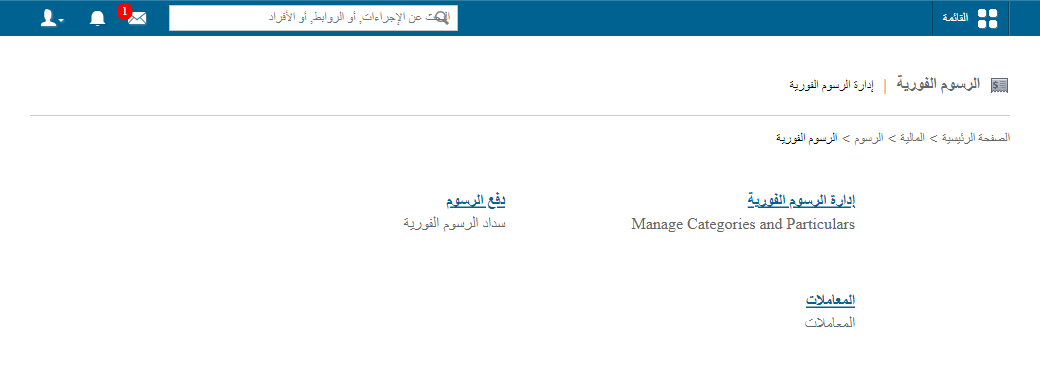
- Click Manage Instant Fees.
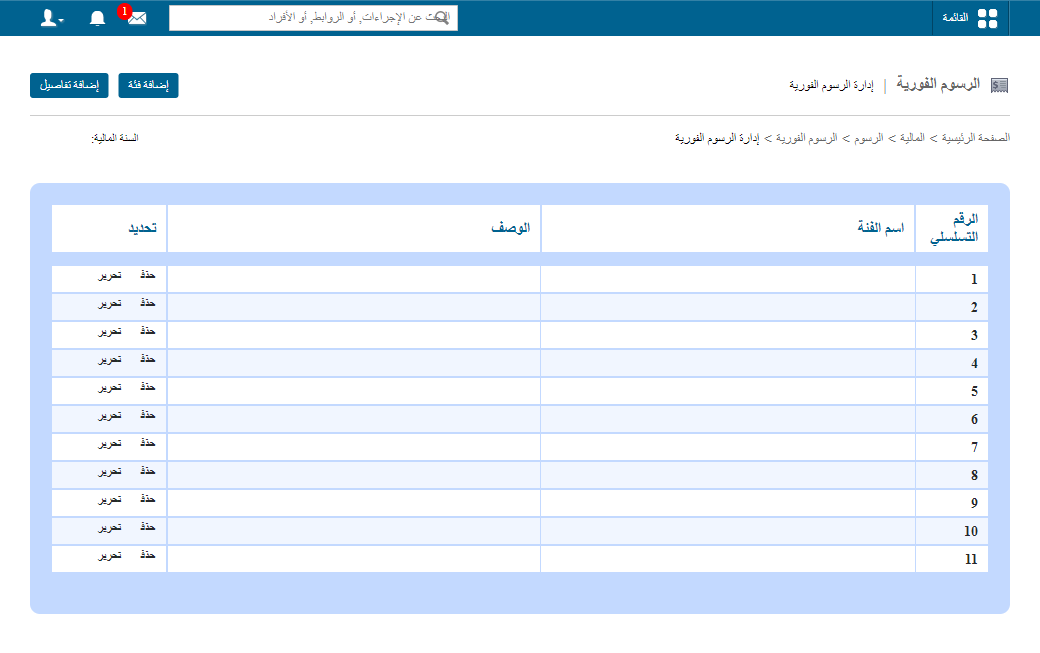
- Click Add Category.
Screenshot — to be added
public/images/articles/instant-fee-4.png- Enter the category name and description.
Screenshot — to be added
public/images/articles/instant-fee-5.png- Click Save.
- Click Add Particular.
- Enter:
- Category
- Particular name (from master particulars)
- Description
- Amount
- Tax slab (if applicable)
Screenshot — to be added
public/images/articles/instant-fee-6.png- Click Save.
Next step: How to collect instant fees
Was this article helpful?
Thanks for your feedback!