
How to view reverted or deleted transactions
Track every financial transaction that was reverted or deleted, who did it and when.
These transactions appear on the Reverted Transactions page when reverted or deleted:
- Finance fees
- Transport fees
- Hostel fees
- Library fines
- Instant fees
- Income and expenses (salary, inventory, sales, custom finance categories)
- Donations
- Refunds
Steps
- Click Menu → Administration → Finance → Transactions → Reverted Transactions.
- Choose what to search:
- Fees: all reverted student fee payments.
- Others: deleted income and expense transactions, such as salary and donations.
- Enter the start and end dates.
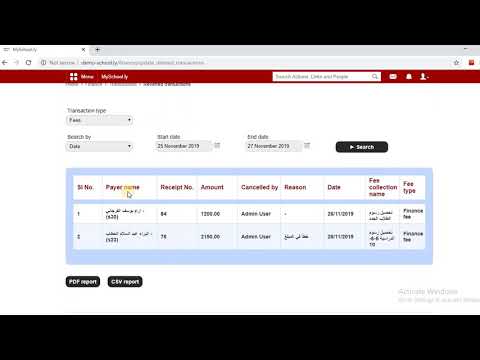
Details include the payee, amount reverted, who reverted it, the date, the collection name and the type of amount.
Was this article helpful?
Thanks for your feedback!