
Configure the academic year
How to create a new academic year and set the active year that all activities are linked to.
The academic year is the period for the institution’s academic activities such as exams and timetables — for example 2025–2026 or 2026–2027.
All admitted students, created and scheduled exams, and sections belong to an academic year, which keeps events and data organised chronologically.
Create an academic year
The Admin or a privileged user can create an academic year:
- At the top of your dashboard, click Menu → Administration → Settings → Academic Years.
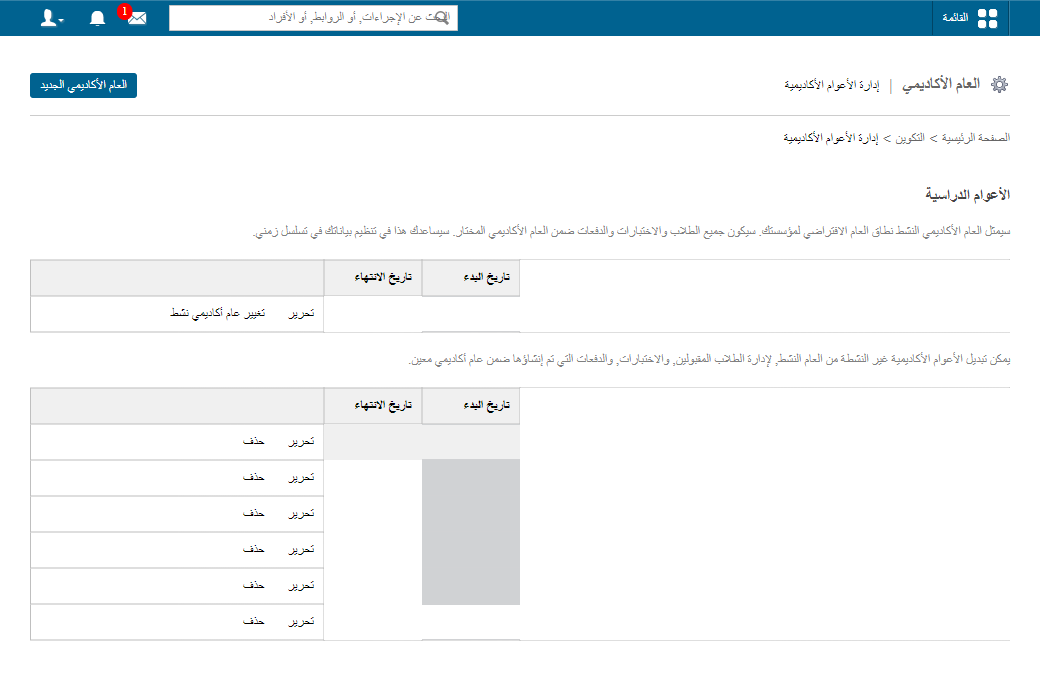
- Click New Academic Year.
- Enter the start date, end date and academic year name.
Screenshot — to be added
public/images/articles/academic-year-2.png- Click Create Academic Year to save.
Set the active academic year
To make the new year the active academic year:
- Click Change Active Academic Year.
Screenshot — to be added
public/images/articles/academic-year-3.png- Select the year from the dropdown.
Screenshot — to be added
public/images/articles/academic-year-4.png- Click Save Active Year.
Was this article helpful?
Thanks for your feedback!