
Using Active, Inactive and Delete in admission additional details
The difference between activating, deactivating and deleting custom admission fields, and how to do each.
An active additional field appears on the admission form. If you no longer want a custom field to appear, you can deactivate or delete it.
Note: A custom field that has already been used to record student details cannot be deleted — you can only deactivate it.
Steps
At the top of your dashboard, click Menu → Administration → Settings → Add Admission Additional Details to open the Add additional details page.
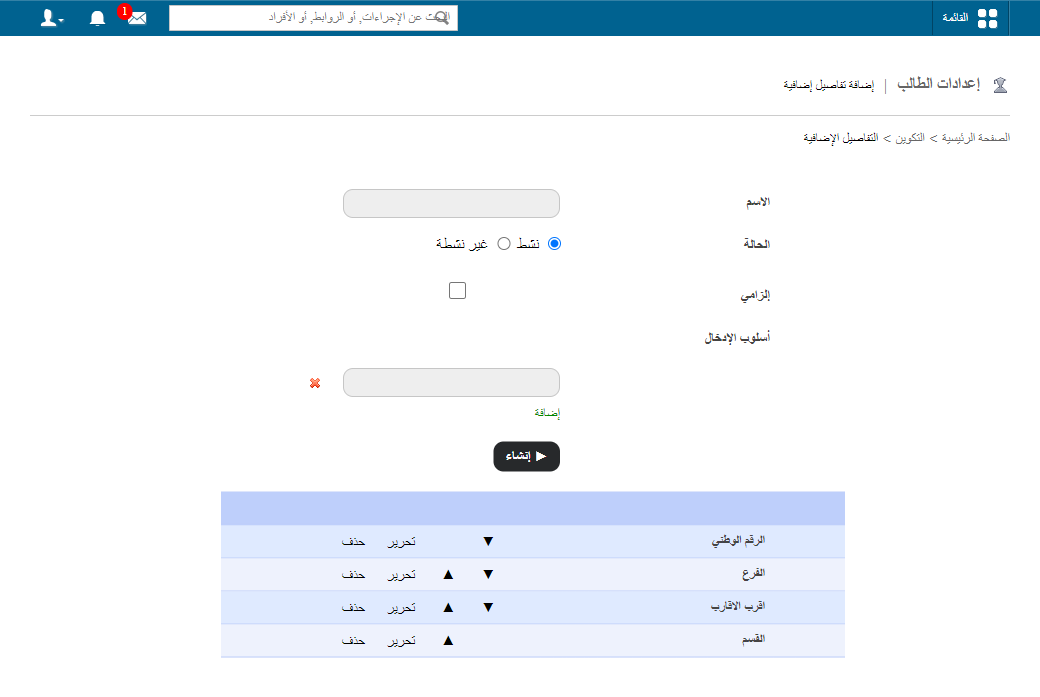
- To deactivate a field: click Edit next to it, choose Inactive, then click Update. Deactivated fields move to the Inactive Fields list.
Screenshot — to be added
public/images/articles/additional-details-status-2.png- To delete a field: click Delete next to it.
Was this article helpful?
Thanks for your feedback!