
How to create a new course
Steps to create a course or programme, the details to enter, and the academic structure in the system.
Courses can be created by the Administrator or any user with privileges to manage the academic structure.
Note: The labels you see depend on the institution type set in Settings:
| Institution type | Labels |
|---|---|
| School / K-12 | Class / Batch |
| College / University | Programme / Semester or Batch |
| Custom Words | Your institution’s own terms |
Steps
- Go to Menu → Administration → Settings → Manage Course/Batch.
- For semester-based systems (with Programs enabled): Menu → Administration → Settings → Manage Programme → Manage Programme Batch → Manage Course → Manage Batch.
- Select Manage Course.
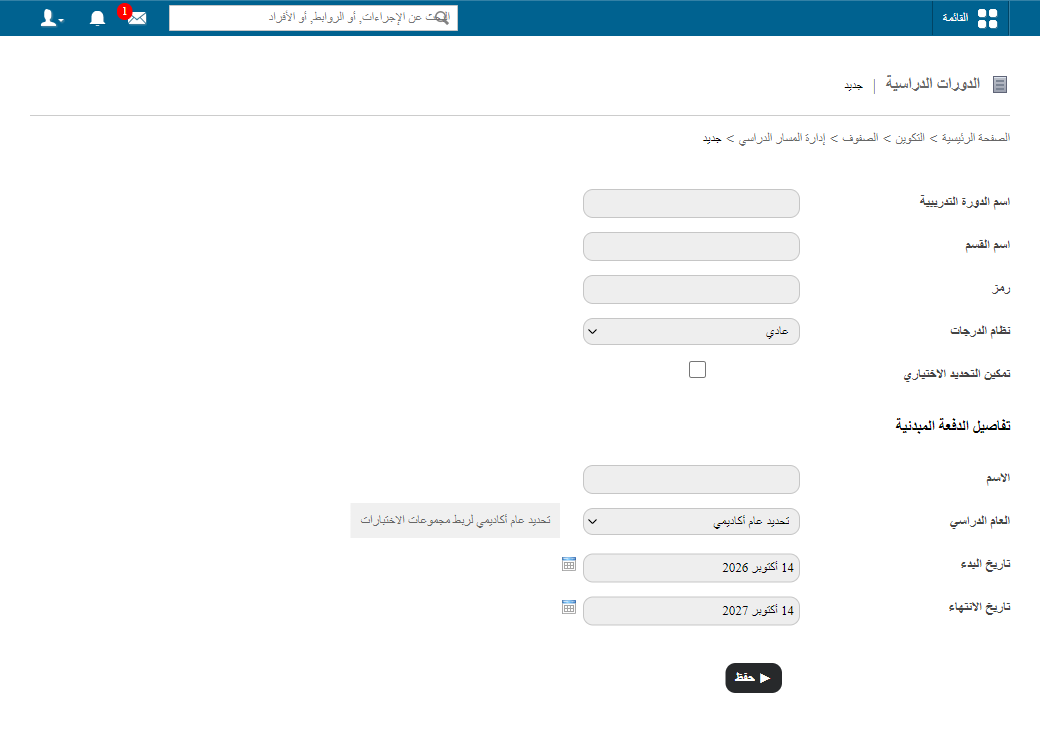
- Enter the details:
- Course name
- Code
- Section name (if any)
- Academic year
- Batch details
- Grading system
- Any additional settings
- Click Save. The system creates the structure and links the batches automatically.
Academic structure
Institution → Course → Batch / Section / Intake → Students → Subjects → Gradebook & academic activities
Was this article helpful?
Thanks for your feedback!