
What is barcode integration used for in the Library module?
Scan barcodes to add, issue, return, renew and search books without typing, making library work faster.
Barcode integration lets you record new books, issues and returns by scanning, which makes managing the school library faster and more accurate.
Adding new books
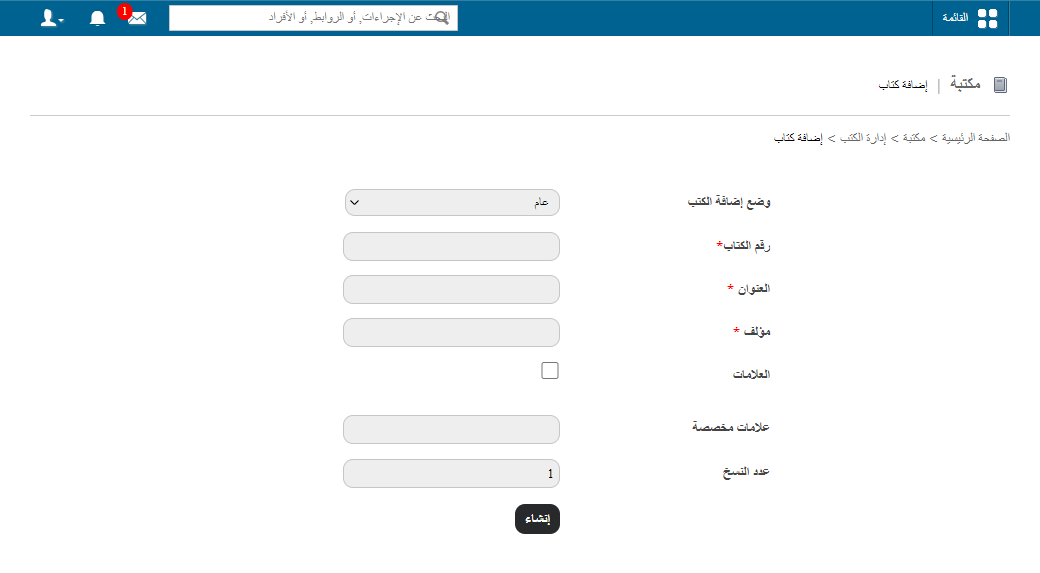
Go to Menu → Academics → Library → Manage Books and click Add books. Two modes are available: General and By barcode. Choose By barcode to add books quickly by scanning them. See How to add books.
Issuing, returning and renewing books
- Issue: open Issue books and scan the book’s barcode.
- Return: open Return Book and scan the barcode of the returned book.
- Renew: open Book renewal and scan the barcode to extend the loan period.
public/images/articles/library-barcode-integration-2.pngpublic/images/articles/library-barcode-integration-3.pngpublic/images/articles/library-barcode-integration-4.pngSearching for books
Open Search book and scan a barcode to see the book’s current status instantly, for example whether it is available or reserved.
public/images/articles/library-barcode-integration-5.pngWhy it helps
Scanning removes manual data entry, reduces the workload on library staff, and makes it easy to track circulation, availability and reservations.
Was this article helpful?
Thanks for your feedback!