
How to view the list of active students
View active students and export the list as CSV from the Report Center.
The administrator or a privileged employee (with the View Additional Reports privilege) can view active students from the Report Center.
- At the top of your dashboard, click Menu → Data and Reports → Reports.
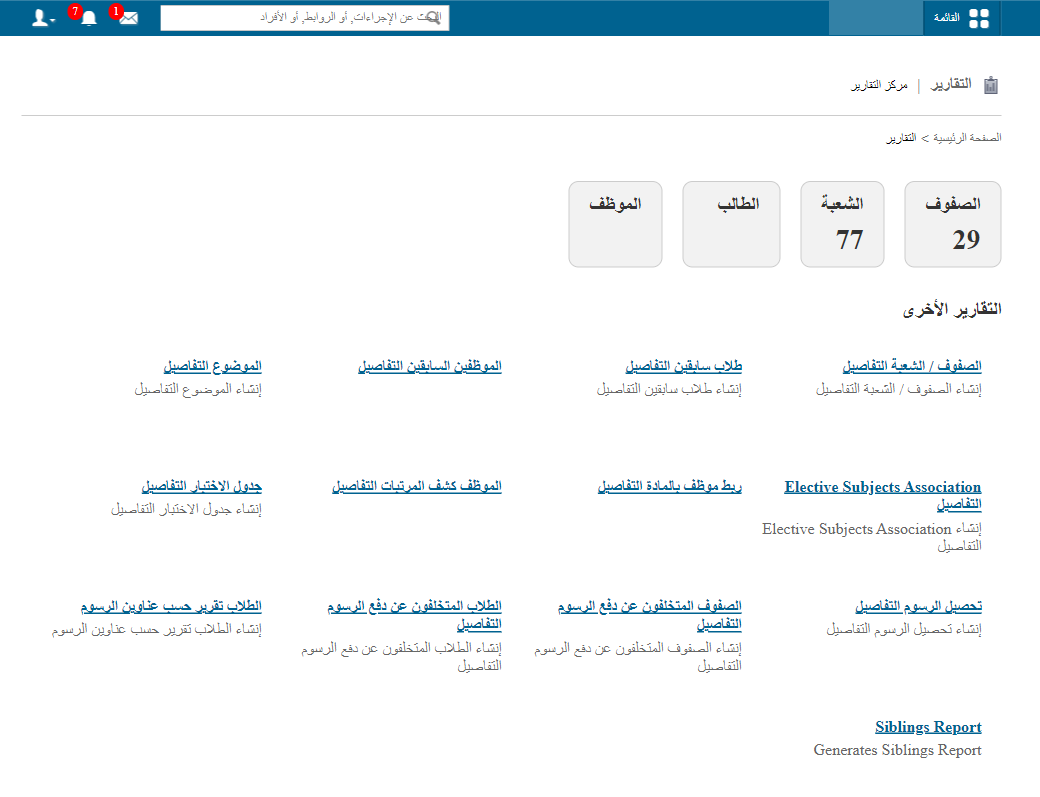
- Click Student. All active students are shown with admission number, admission date, batch, course, gender and fee payment status. Click a name to open the profile.
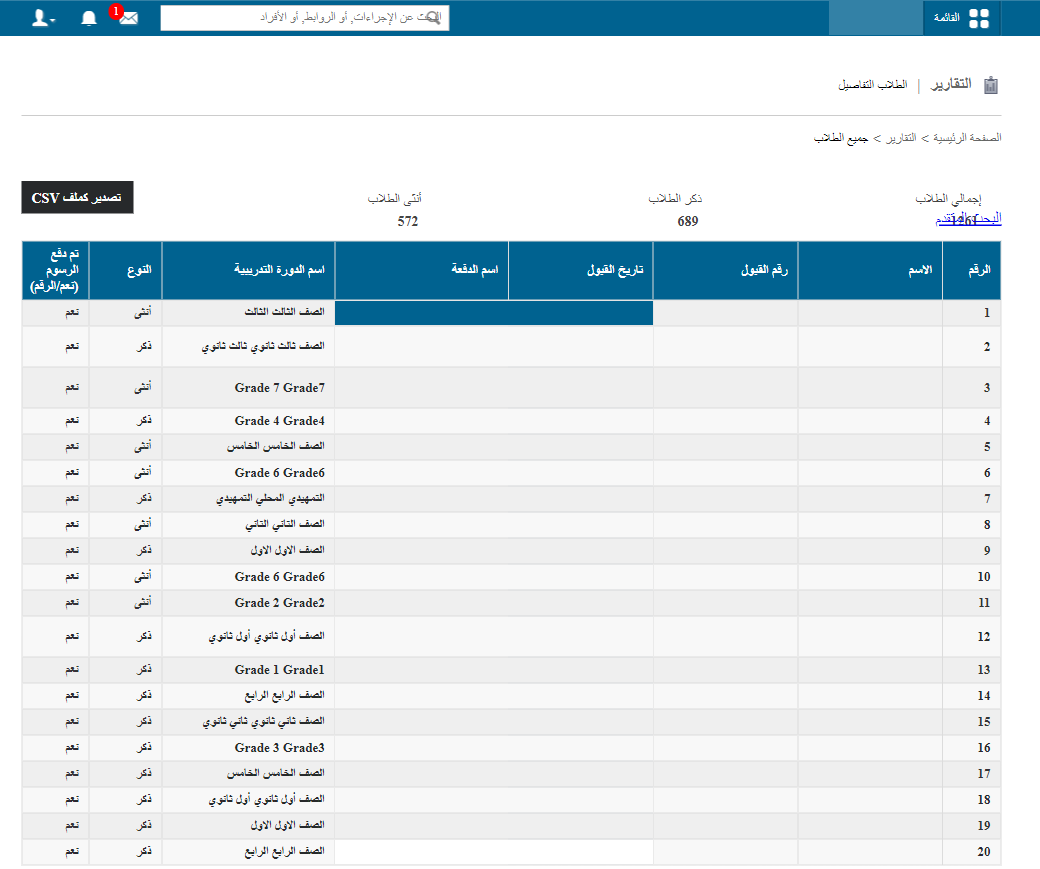
- Click Export as CSV.
- When the file status changes from In Queue to Download, click Download to save it. This may take a while.
Screenshot — to be added
public/images/articles/active-students-list-3.pngNote: Refresh the page from time to time until the file is ready.
Was this article helpful?
Thanks for your feedback!