
Managing employee departments
Create the institution's departments and codes, and edit, deactivate or delete them.
An institution may have many departments — academic ones such as Science or Languages, or administrative ones such as Library and Finance. Create as many as you need.
Create a department
- Click Menu → Administration → Human Resource → Settings → Add Employee Department.
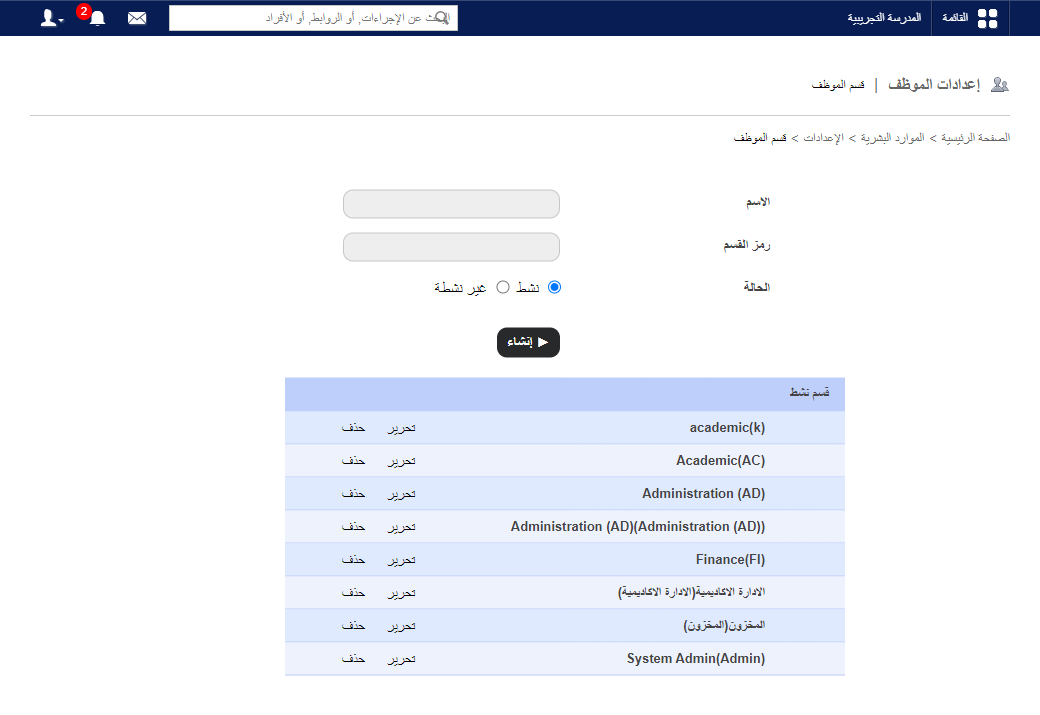
- Enter the name.
- Enter the department code.
- Choose the status: Active (shown on the admission form) or Inactive.
- Click Create.
Edit, deactivate or delete
Note: A department assigned to an employee can’t be deactivated or deleted.
- Click Edit, choose Inactive to deactivate, and click Update. It moves to Inactive Department.
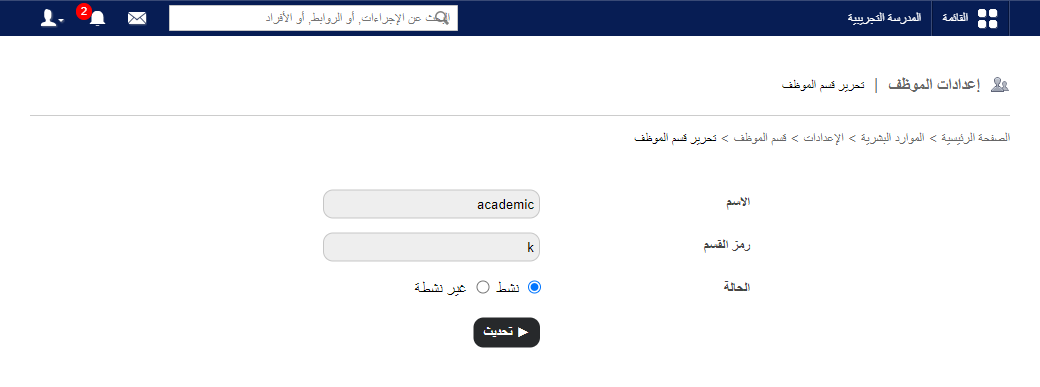
- Click Delete to remove a department.
Was this article helpful?
Thanks for your feedback!