
Managing employee grades
Create grades with priority and maximum daily and weekly periods, and edit, deactivate or delete them.
Institutions use grades to compare roles and relate them to pay. In myschool a grade represents seniority and sets the maximum periods an employee teaches or works per day and week.
Create a grade
- Click Menu → Administration → Human Resource → Settings → Add Employee Grade.
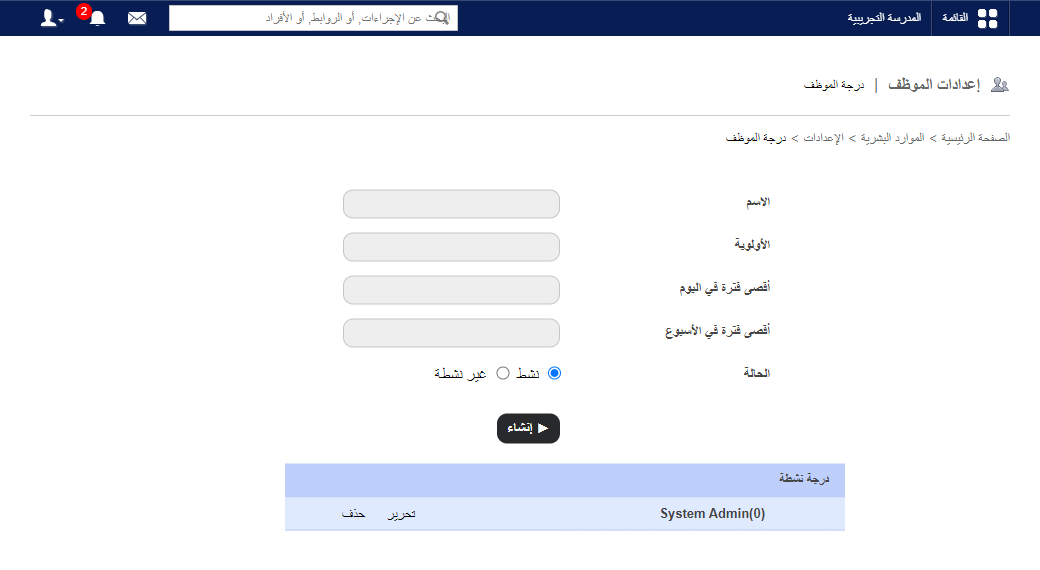
- Enter the name.
- Enter the priority.
- Enter Max periods per day.
- Enter Max periods per week.
- Choose the status: Active or Inactive.
- Click Create.
Note: When building the timetable, a warning appears if a teacher exceeds these limits. See How to create a timetable.
Edit, deactivate or delete
Note: A grade assigned to an employee can’t be deactivated or deleted.
- Click Edit, choose Inactive to deactivate, and click Update. It moves to Inactive Grade.
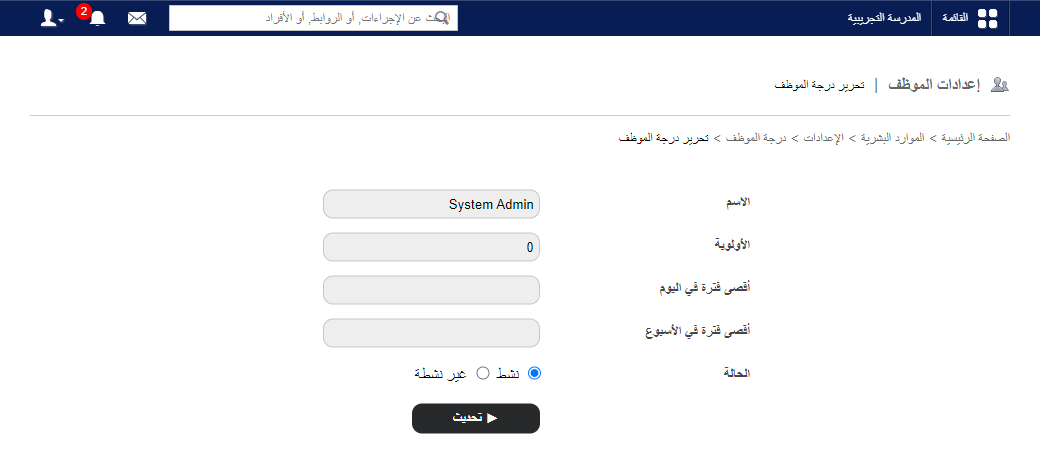
- Click Delete to remove a grade.
Was this article helpful?
Thanks for your feedback!