
Custom fields for employee bank details
Add fields to record employees' bank details on the admission form, and edit, deactivate or delete them.
When admitting an employee, you may need their bank details, such as account number, bank name or other information your institution requires. Add as many custom fields as you need; they appear on the employee admission form.
Add a field
- Click Menu → Administration → Human Resource → Settings → Add Bank Detail.
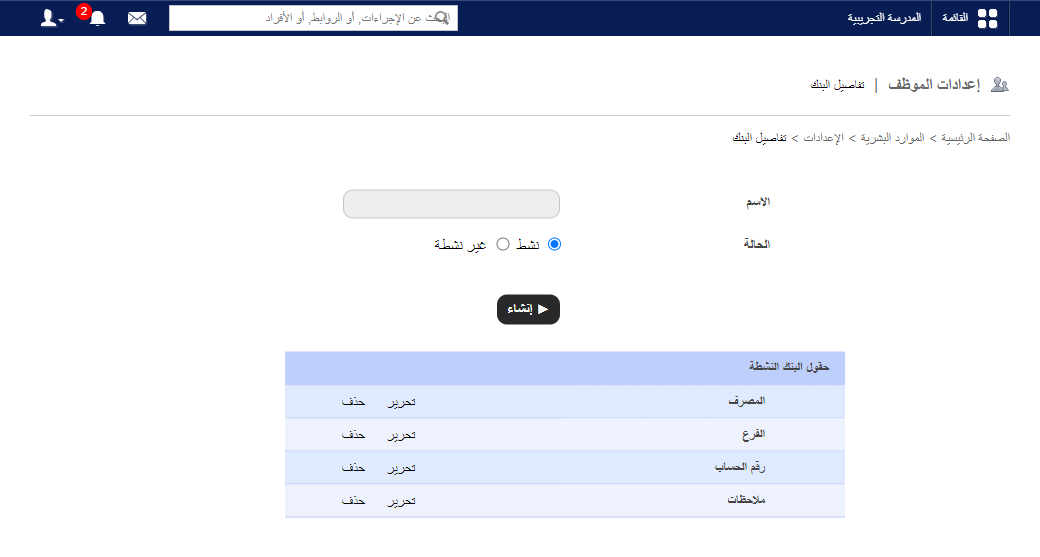
- Enter the field name as it will appear on the form, e.g. Bank account number.
- Choose the status:
- Active: shown on the admission form.
- Inactive: hidden.
- Click Create.
Edit, deactivate or delete a field
- On the same page, click Edit, choose Inactive to deactivate, and click Update.
- Click Delete to remove a field.
Note: A field already used to record employee details can’t be deleted — deactivate it instead.
Was this article helpful?
Thanks for your feedback!