
Feature access settings
Choose which features parents can access, such as gallery, transport, assignments and documents.
Depending on your institution’s needs, the Admin or a privileged user can give parents access to different features, so they can follow their child’s information in myschool.
Feature access settings control which features are available to parents/guardians:
| Feature | What the parent sees |
|---|---|
| Gallery | Shared gallery photos. |
| Hostel | The ward’s hostel details. |
| Transport | The ward’s transport details. |
| Student documents | Documents uploaded to the ward’s profile. |
| Assignments | The ward’s homework and assignments. |
| Tasks | Assigned tasks. |
Steps
- At the top of your dashboard, click Menu → Administration → Settings → Feature Access Settings.
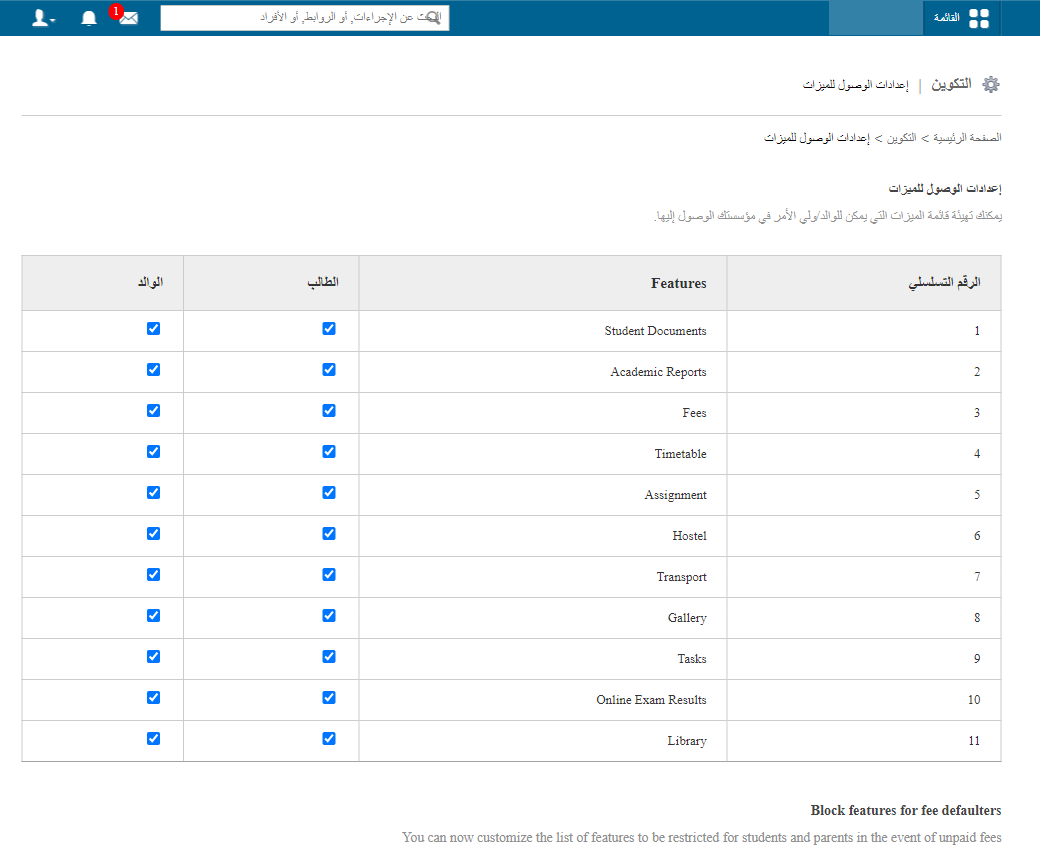
- Tick the checkbox for each feature you want parents to access.
- Click Save settings.
Was this article helpful?
Thanks for your feedback!