
How to configure Create Fees
Choose the right financial year, then set up categories, particulars, discounts and fines for batches.
Once master particulars and discounts exist, you can set up the fee structure for batches. First check the financial year:
- Go to Menu → Administration → Finance → Finance Settings → Financial Years and set the active year for the fee structure.
- Go to Menu → Administration → Finance → Fees → Create Fees.
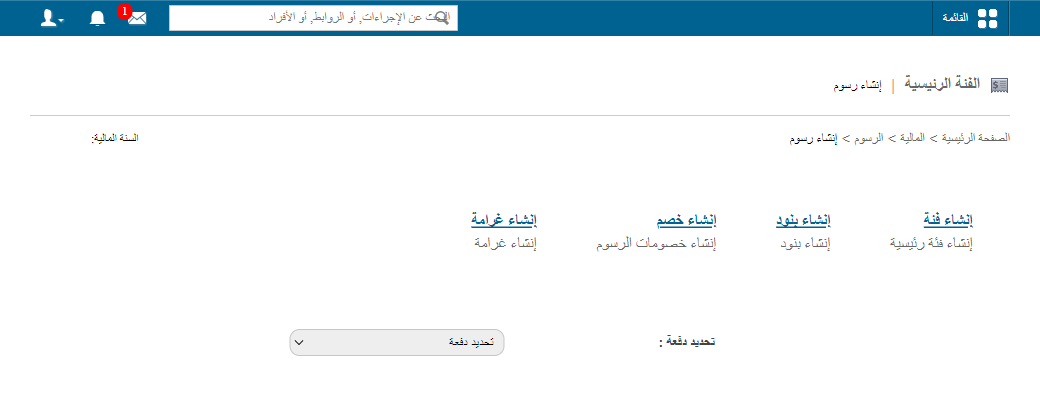
The four options to configure
| Option | Article |
|---|---|
| 1. Create fee category | Create, edit or delete a fee category |
| 2. Create particulars | Create, edit or delete fee particulars |
| 3. Create discounts | Create, edit or delete student discounts |
| 4. Configure fines | Set up fines for late payment |
Was this article helpful?
Thanks for your feedback!