
How to generate the employee attendance and additional leaves reports
A leave summary for each department's staff by type, and a report of leaves taken beyond the balance.
Employee attendance report
Shows leave for all employees in a department: leaves taken from balance and additional leaves with or without LOP, for each leave type.
- Click Menu → Administration → Human Resource → Employee Leave Management → Attendance Report.
- Select the department. The summary covers leaves since the last leave reset; use the date filter for earlier ones.
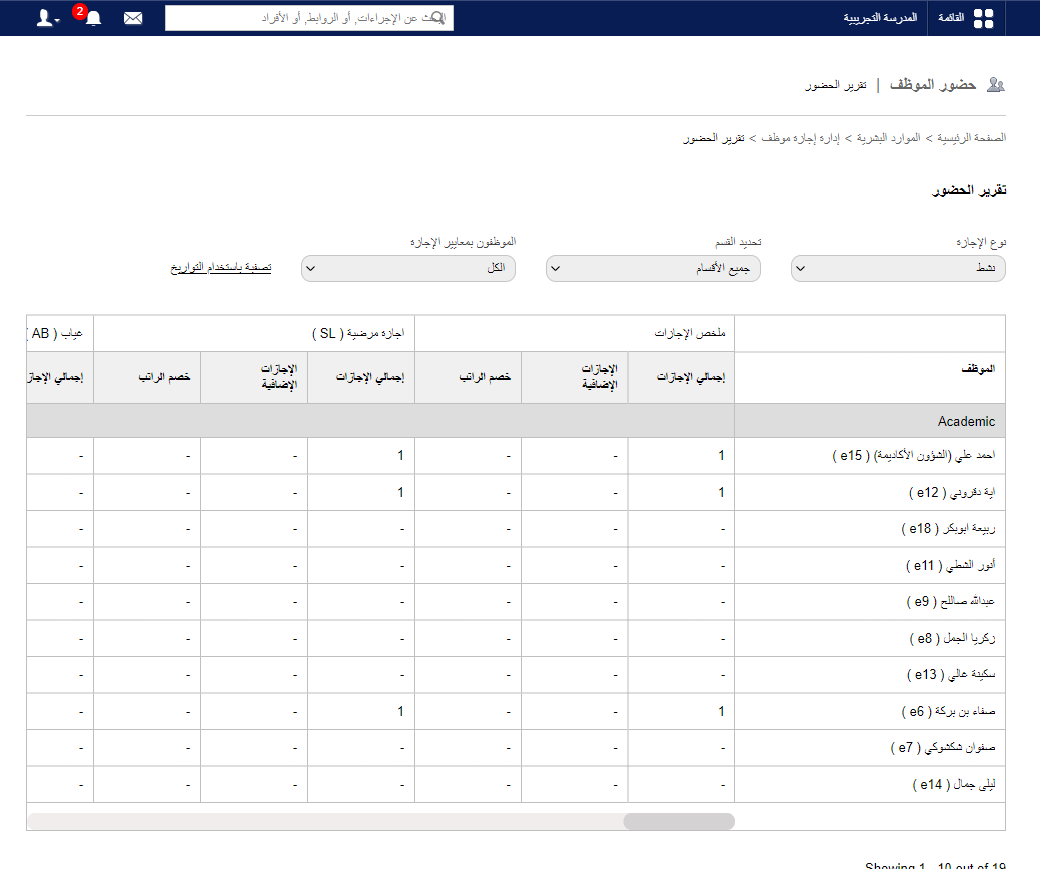
- Click CSV report to export, or click an employee’s name for their full leave details.
Screenshot — to be added
public/images/articles/employee-attendance-report-2.pngAdditional leaves report
Shows how many additional leaves each employee took after using up their balance.
- On Attendance Report, click Additional Leaves.
Screenshot — to be added
public/images/articles/employee-attendance-report-3.png- Choose month, year and department, then click View.
- Click PDF Report to export.
Was this article helpful?
Thanks for your feedback!