
How to create a hostel fee collection for individual students
Create a new hostel fee collection with a start date and due date and assign it to selected hostel students.
Steps
Go to Menu → Administration → Hostel → Fee Collection → User-wise Fee Collections.
-
Select Create New Fee Collection.
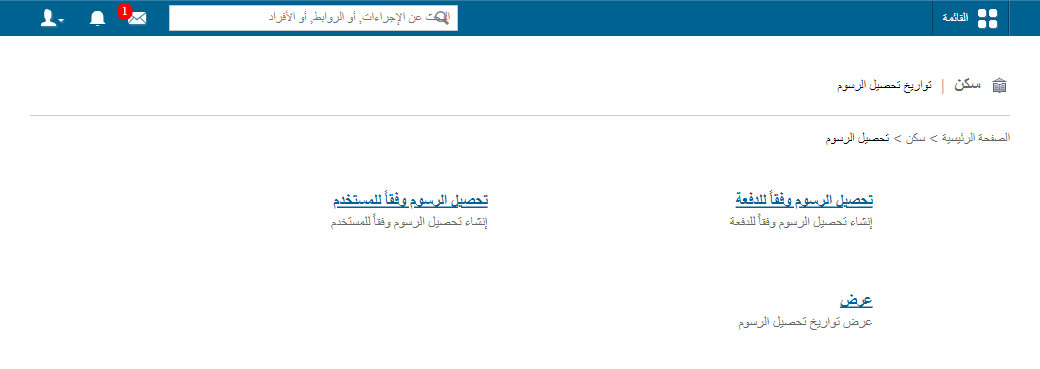
1Create New Fee Collection option -
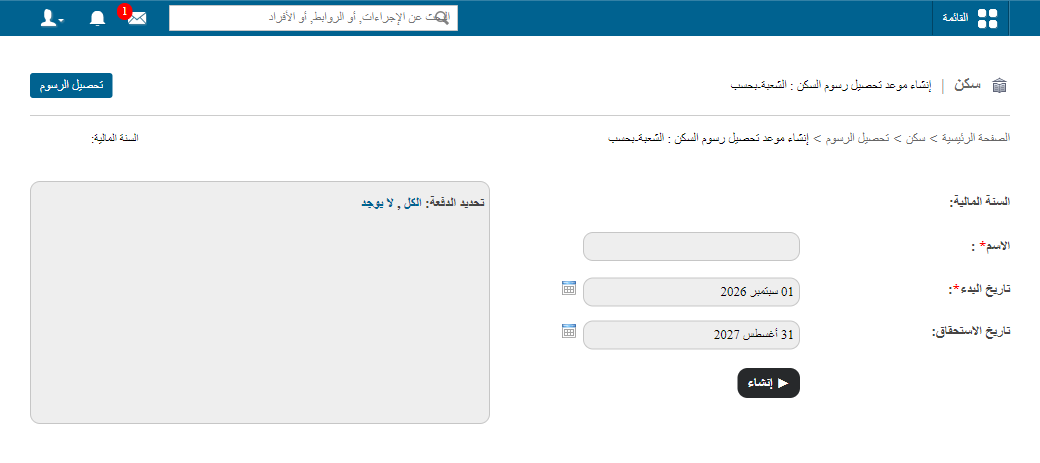
In the Hostel Fee Collection Name field, enter a name for the fee collection.
-
In the Start date field, select the date on which fee collection begins.
-
In the Due date field, select the payment due date. Students who do not pay on or before the due date are listed as fee defaulters.
-
In the Search Student field, enter the student’s first name or admission number, and select the student.
-
Click Create.
Note: You can only search for students who have been allocated to a hostel.
Related articles
Was this article helpful?
Thanks for your feedback!