
How to search for an employee
Find employees by name, number or department, and use advanced search for current and former staff.
Quick search
- Click Menu → Administration → Human Resource → Employee Search.
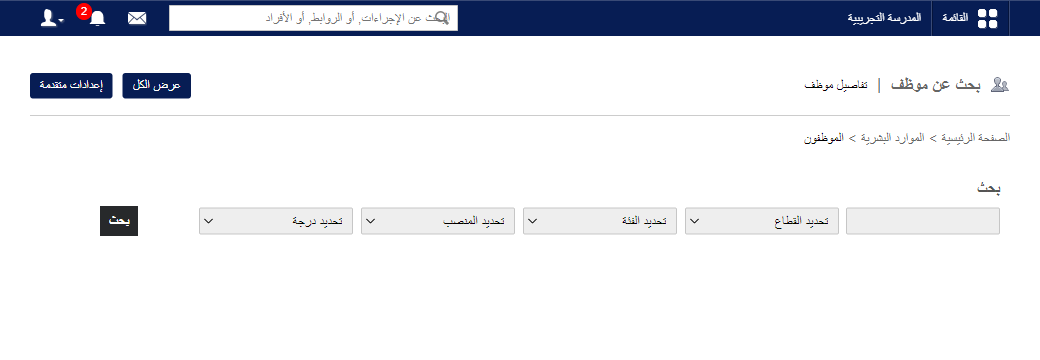
- In Search, enter the first name, last name or employee number.
Note: Enter at least three letters of the name; all matching employees appear.
- Filter if needed by department, category, position or grade.
- Click the name to open the profile.
Search by department
- On Employee Search, click View all.
- Select the department; its employees are listed.
- Click a name to open the profile.
Screenshot — to be added
public/images/articles/search-employee-2.pngAdvanced search (includes former employees)
- On Employee Search, click Advanced.
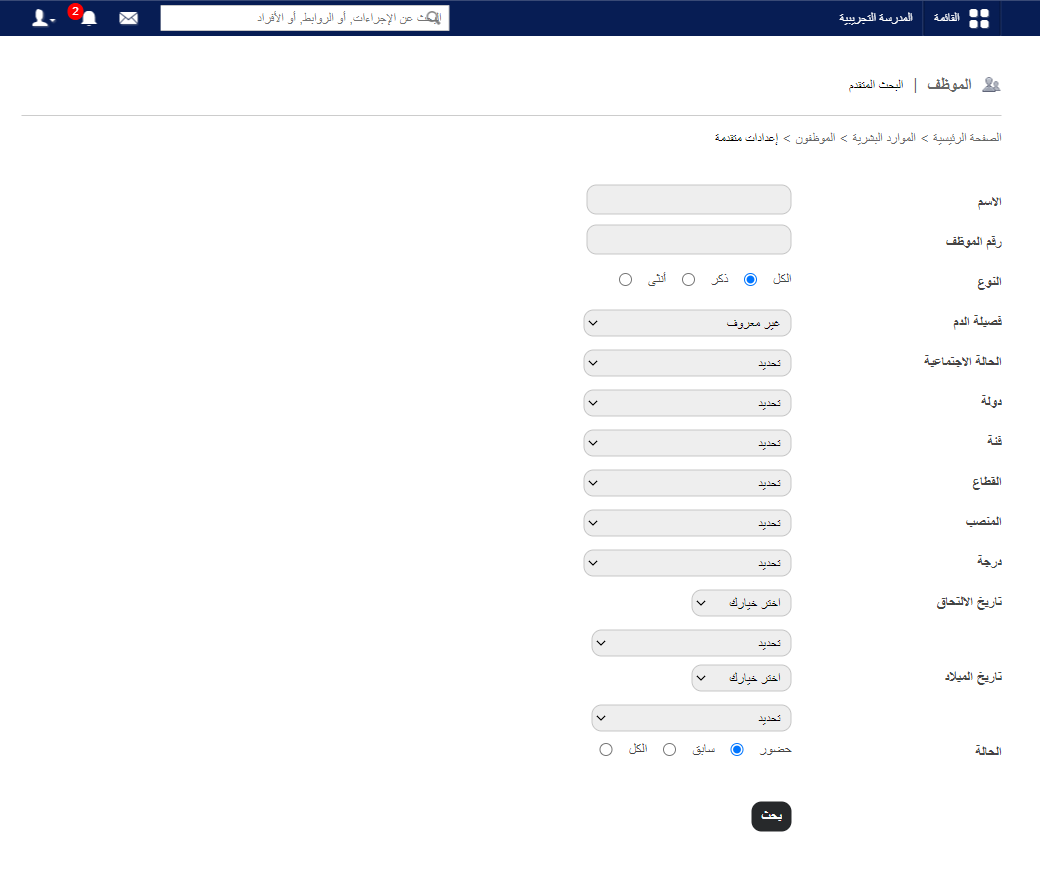
- Use any filters:
| Field | Use |
|---|---|
| Name / employee number | Direct search. |
| Gender, blood group, marital status, country | Personal details. |
| Category, department, position, grade | Job classification. |
| Joining date / date of birth | Choose a year with equal to, less than or greater than. |
| Status | Present (active), Former (archived) or All. |
- Click Search.
- Click a name to open the profile.
- Click PDF Report or CSV Report to export.
Was this article helpful?
Thanks for your feedback!