
Programs and program batches (higher education)
Enable programs for universities, create programs and program batches, and add missing earlier semesters for complete transcripts.
Why programs?
Programs and program batches help institutions that use a GPA structure with courses split across semesters. They group the semesters of one program, so the system knows the student’s full academic journey — essential for a complete transcript.
Example: a Bachelor of Engineering has eight semesters; linking them to one program lets the system produce a transcript covering all eight.
Enable programs
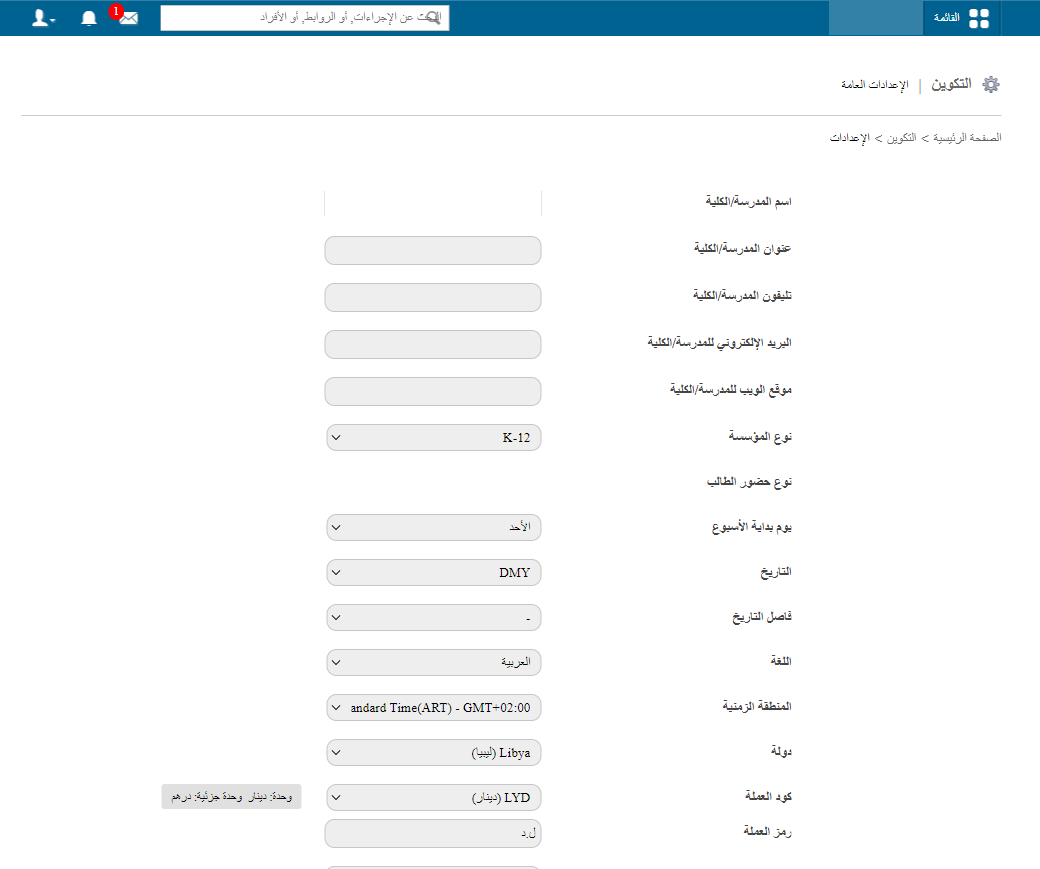
- Go to Menu → Administration → Settings → General Settings.
- Tick Enable Program (untick to turn it off).
Program options then appear in Settings.
What is a program?
A program groups several courses organised by semester or session — e.g. Mechanical Engineering, Computer Science Engineering, Civil Engineering, Bachelor of Commerce, MBA.
Example:
- Program name: Computer Science Engineering
- Session label: Semester
- Number of sessions: 8
Create a program
- Go to Home → Configuration → Program → Manage Program and click Create Program.
- Enter:
- Program name, e.g. Bachelor of Computer Science Engineering
- Session label: Semester, Session, Term or Year
- Number of sessions, e.g. 8
- Save.
Map courses to the program
Link each session to its course:
| Session | Course |
|---|---|
| Semester 1 | BE Semester 1 |
| Semester 2 | BE Semester 2 |
| Semester 3 | BE Semester 3 |
| … | … |
| Semester 8 | BE Semester 8 |
The system can then track each student’s full progression.
What is a program batch?
A program batch is the program split by intake or duration. Computer Science Engineering might have:
- Computer Science Engineering 2024–2028
- Computer Science Engineering 2025–2029
- Computer Science Engineering 2026–2030
Create a program batch
Click Create Program Batch, then:
- Select the start year.
- Select the end year.
- Select the program.
- Enter the batch name. The system suggests one from the program and years; you can change it.
Example: program Bachelor of Computer Science Engineering (8 semesters), batch Bachelor of Computer Science Engineering 2024–2028. Students admitted in that period belong to this batch, with their semesters linked to it.
Missing batches
Missing batches let you add earlier semesters that were never in the system — useful when an institution starts using myschool after students have completed some semesters.
Example: a student finished Semesters 1–3 before the system was introduced and is now in Semester 4. With only Semester 4 in the system, the transcript is incomplete. Missing batches let you add the earlier semesters with their students, subjects and marks.
Add a missing batch
- Go to Home → Configuration → Programs → Manage Program Batch → Missing Batches.
- Click Add Missing Batch.
- Select the course.
- Choose the type:
- Add new missing batch: the batch doesn’t exist yet; create it and add students, subjects and marks.
- Add existing inactive batch: the batch exists but is inactive; mark it as a missing batch.
How programs help transcripts
When semesters are linked through a program (e.g. Bachelor of Commerce: 3 years, 6 semesters), the system recognises all of them and can generate a full transcript of the student’s progress.
Was this article helpful?
Thanks for your feedback!