
How to add a vehicle certificate type
Create vehicle certificate types, attach them to vehicles, upload certificates and set expiry reminders.
Create certificate types for your vehicles (for example, insurance or roadworthiness) by following these steps.
Steps
-
Go to Menu → Administration → Transport → Settings → Vehicle Certificate type and click Add details.
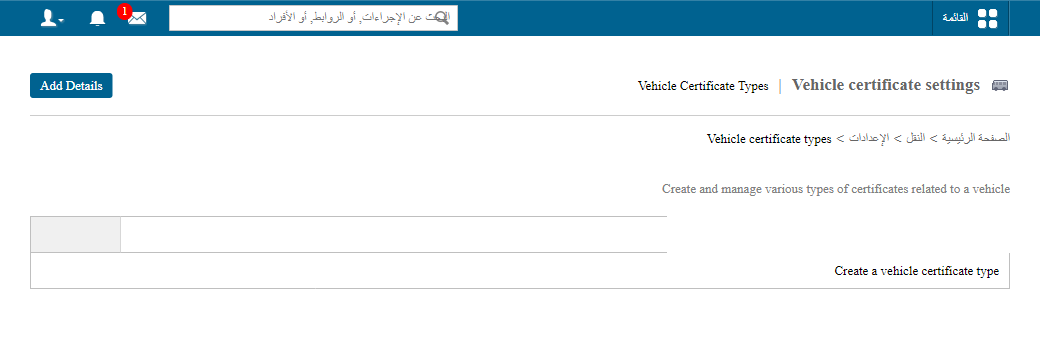
1Vehicle Certificate type in Transport settings -
After adding the vehicle, attach the certificate type to it. See How to add a new vehicle.
Screenshot — to be addedpublic/images/articles/transport-vehicle-certificate-type-2.png2Attaching a certificate type to a vehicle -
Click Vehicle Certificate → Upload certificate.
Screenshot — to be addedpublic/images/articles/transport-vehicle-certificate-type-3.png3Uploading a vehicle certificate -
Select the certificate type and fill in all the details. You can also set a reminder for the certificate here.
Screenshot — to be addedpublic/images/articles/transport-vehicle-certificate-type-4.png4Certificate details with reminder settings
Was this article helpful?
Thanks for your feedback!